Tasks
What the team needs to do outside the conversation, with reminder, due date and a shortcut to the original message.
What it is for
Tasks hold the team's to-dos with a reminder and a due date. They can come from a customer message, be created by the AI or stand alone (like paying a supplier).
Before you start
- Nothing special. For the AI to create tasks, it must be turned on in the agent (see AI agent).
Step by step
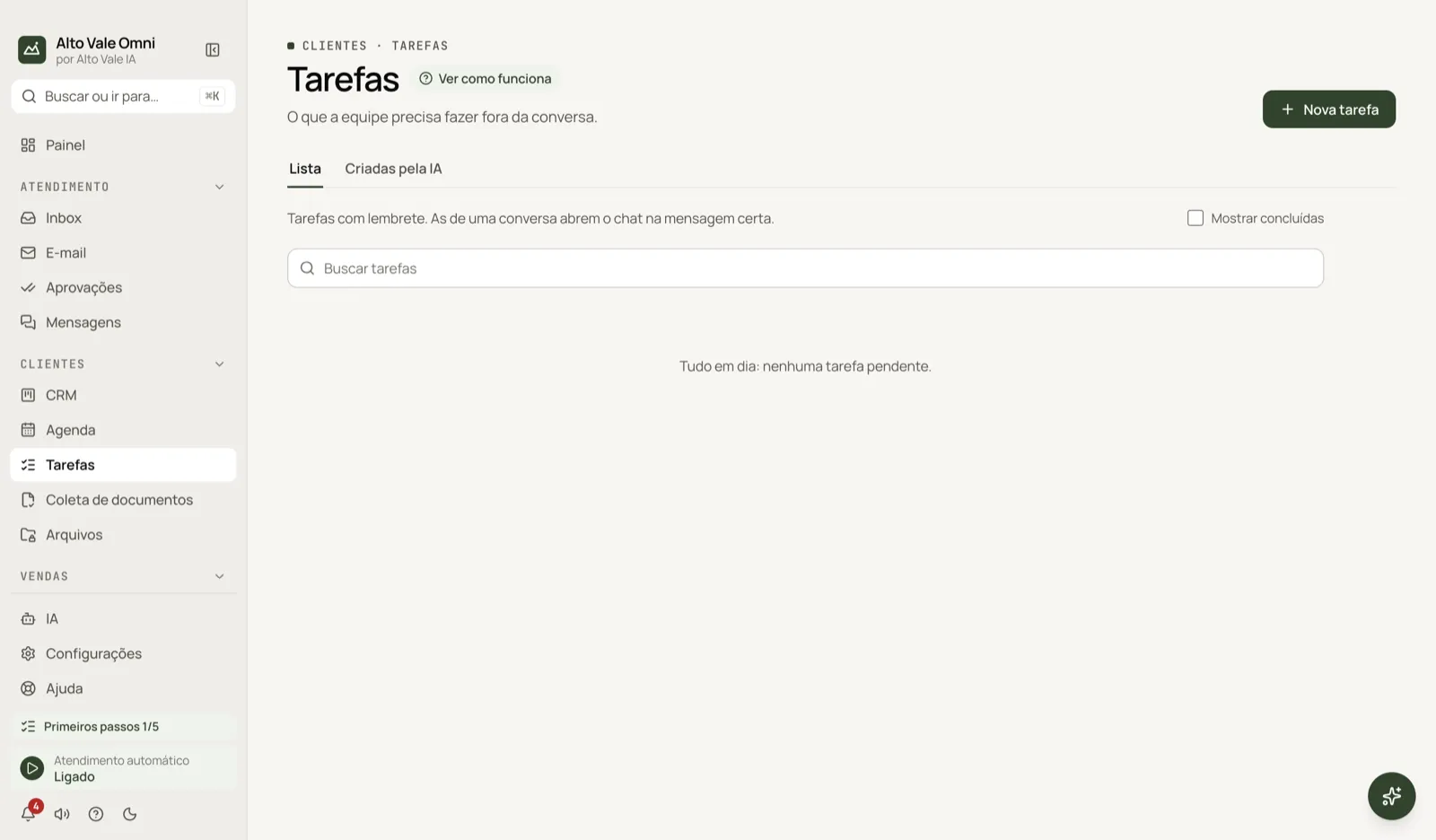
- Open Tasks in the Customers sidebar group.
- Click New task.
- Write "Call Ana Ribeiro to confirm the cleaning" and pick the due time.
- Save. At the set time you get a notice, and the task also shows in the Calendar.
All the actions on the screen
New task
Creates a standalone task or one tied to a conversation (Conversation field). Example: "Send the contract to Carlos Menezes", due tomorrow 9am.
List tab
All tasks, grouped as Overdue, Today, Upcoming, No due date and Completed. Overdue in red, on time in yellow, completed in green. Click to edit or open.
Created by AI tab
Tasks the agent opened when it needed a person, with the conversation context. Example: "Fernanda Costa asked for a discount on the R$ 890 whitening".
Complete, Reopen and Snooze
The checkbox completes the task. On the reminder notice use Snooze 15 min, Snooze 1 h or Complete.
Open chat / Go to message
Conversation tasks open the chat at the right message. Example: Marina goes back to Ana's question about Unimed.
Tags and search
Create colored tags (for example "Finance") and Filter by them; search tasks by text.
Create task from a message
In the Inbox, the Task button in the message box creates a task tied to that conversation; the customer never sees it.
Shortcuts
- ⌘K opens the palette; ⌘J opens the assistant.
Common problems
I did not get the notice. Check the app's notifications and whether the due time has passed. I cannot find the task. Clear the tag filter or use Show completed.
See also
Screen in the app: /tasks · In the app, press F1 on this screen to open this guide.
Still have a question?
Talk to the Alto Vale IA team on WhatsApp. Tell us the app, the screen and what happened.