Settings
The app's general settings: language, business, features, service, alerts, data, security and license.
What it is for
Gathers the app's settings in sections, in a list on the left. Switches and selectors save at once, with the message "Saved.".
Before you start
- Nothing special. Brand and Reseller only show up when the license includes the right (Reseller brand).
Step by step
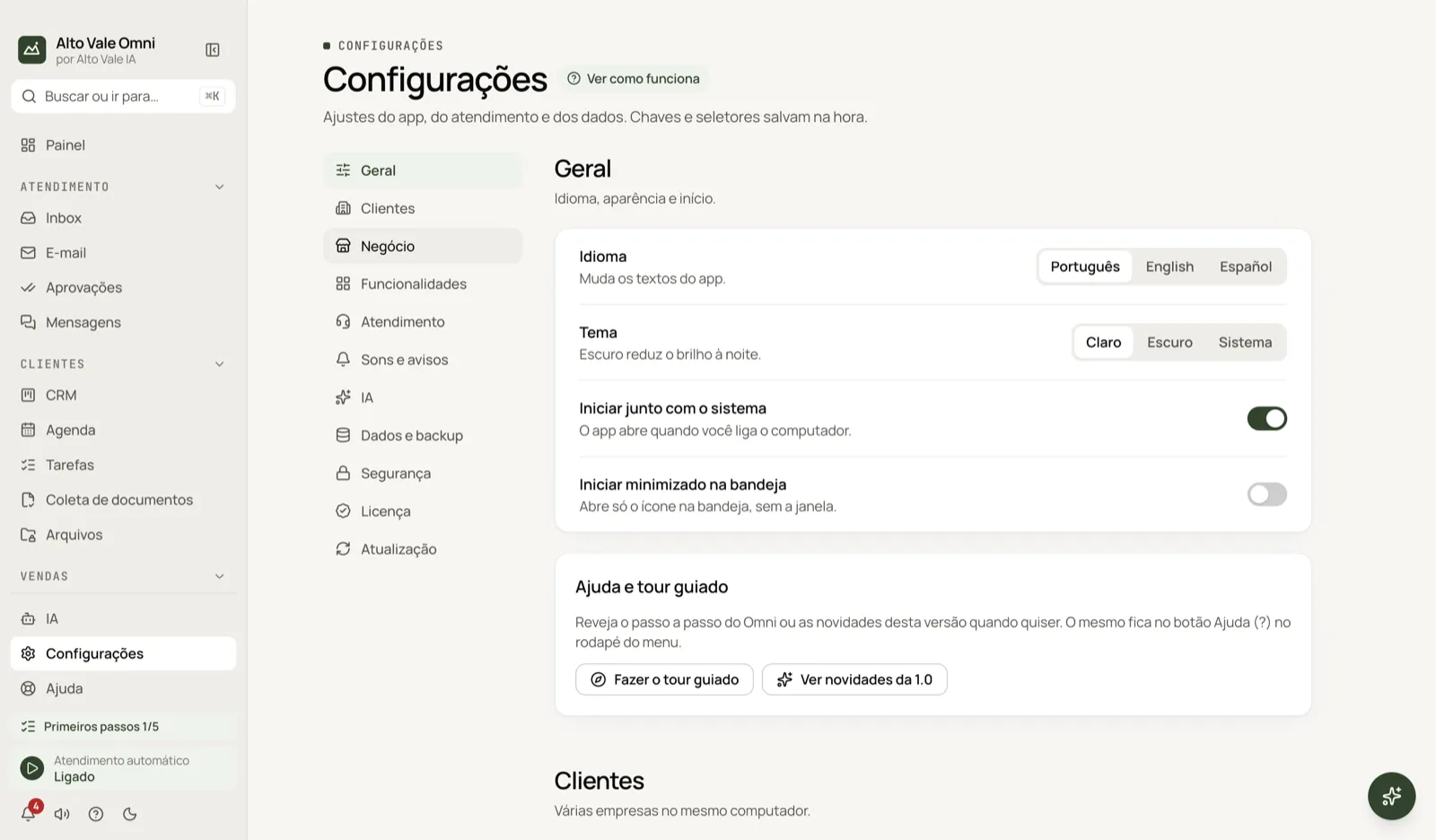
- Open Settings in the menu (or press ⌘,).
- Pick the section in the list on the left.
- Change the setting; it saves by itself.
- In sections with Advanced, open that area for the less common options.
All the actions on the screen
General
Language (Português, English, Español), Theme (Light, Dark, System), Launch at system startup, Start minimized to tray and Help and guided tour. Example: Bem Viver's front desk turns on "Launch at system startup" so the app opens when the computer boots.
Clients
Serve several businesses on the same computer. Each client has its own data, contacts, WhatsApp and Instagram and opens in a separate window; each needs its own key.
Business
Company data (address, hours, payment methods, frequent questions), Segment with Redo initial setup and, under Advanced, Custom fields. Example: Clínica Bem Viver's hours, Tuesday to Saturday, paying by Pix and card.
Features
Turns menu areas on and off. Turning off only hides; data is kept. Example: turn off Ads if the clinic doesn't advertise cars.
Service
Channels (shortcut to WhatsApp and Instagram), Who the AI handles, new contacts or everyone, Personal contacts, queue, agenda and shortcuts to Messages. Under Advanced: the backlog of messages. Example: mark Fernanda Costa, Marina's friend, as personal: the AI doesn't even read the conversation.
Sounds and alerts
Sound, system notification and on-screen alert for each type of event.
AI
A card with the button that opens AI › AI connection (AI: providers and connection).
Data and backup
Export and restore backups, scheduled backup, how long to keep data and, under Advanced, the Audit log. Details in Updates and data.
Security
The access password for this computer.
License
License status and Sign out of this computer, which frees the seat to activate on another one. Your data stays here.
Updates
Installed version, checking for and installing updates. See Updates and data.
Direct links
Some cards have their own address (for example Who the AI handles and Audit log), used by links from other screens; Advanced opens by itself when the card is inside it.
Shortcuts
- ⌘, opens Settings.
- F1 opens Help.
- ⌘K opens the search palette.
Common problems
A menu disappeared. Turn the area on in Features.
I can't find Brand or Reseller. They only show in reseller licenses.
See also
Screen in the app: /settings · In the app, press F1 on this screen to open this guide.
Still have a question?
Talk to the Alto Vale IA team on WhatsApp. Tell us the app, the screen and what happened.