Files
Keep price lists, contracts and catalogs of your company, encrypted on this computer, to look up and send to customers.
What it is for
Files is the vault for your company's documents (price lists, contracts, catalogs, flyers). All of them stay encrypted on this computer. Photos, audio and files that contacts send stay in the conversations themselves; documents requested by checklist stay in Document collection.
Before you start
- Gather the files you usually send to customers.
Step by step
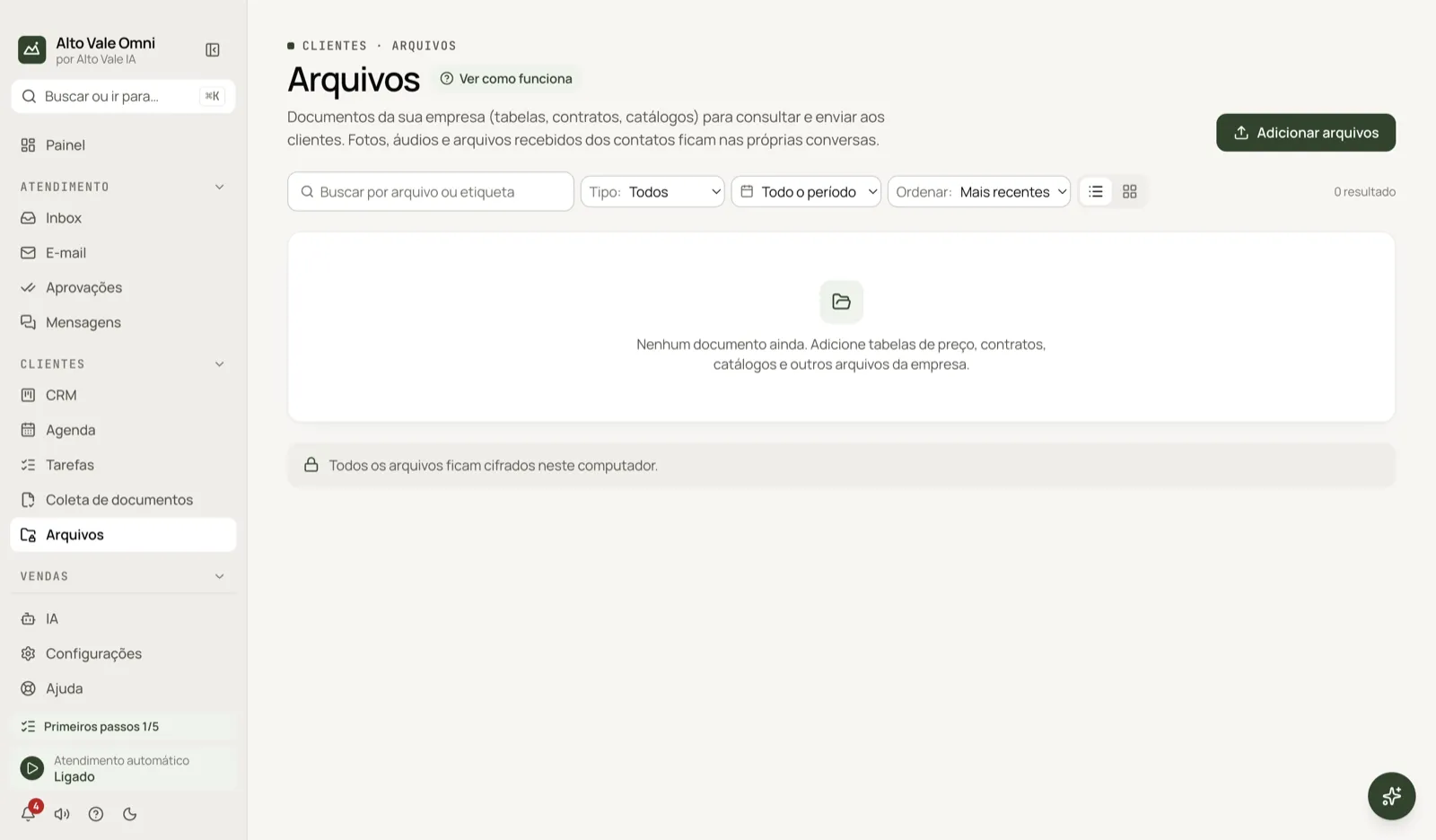
- Open Files in the Customers sidebar group.
- Click Add files and pick, for example, "Clinic price list.pdf".
- Use search and filters to find the file later.
- To send it to a customer, use Attach in the Inbox message box.
All the actions on the screen
Add files
Imports one or more files from your computer. Example: the whitening contract (R$ 890) as a PDF.
Search by file or tag
Filters by name or tag. Example: type "cleaning".
Type
Image, Video, Audio, Document or Other.
Origin
Received from customer, Sent to customer or Added manually.
Contact
Shows only one contact's files. Example: what Fernanda Costa sent.
Period
Limits by the date the file was added.
Sort
Newest, Oldest, Largest or Name (A–Z).
List and Grid
Switch how you see the files. The grid shows thumbnails.
Preview, Open, Copy name and Delete
In the row menu: Preview shows the file without leaving the screen, Open opens it on the computer, Copy name copies the name and Delete erases it (with confirmation).
Load more
When there are many files, loads the rest of the list.
Shortcuts
- ⌘K opens the palette; ⌘J opens the assistant.
Common problems
I cannot find a photo the customer sent. It may live only in the conversation; filter by Origin: Received from customer.
I want to send a file. Use Attach in the Inbox; this screen is for storing and looking up.
See also
Screen in the app: /vault · In the app, press F1 on this screen to open this guide.
Still have a question?
Talk to the Alto Vale IA team on WhatsApp. Tell us the app, the screen and what happened.