Approvals
AI replies waiting for your review before they go out to the customer.
What it is for
When the AI is unsure, the reply waits here before being sent. This happens, for example, when it quotes a price, deadline, link or phone number that is not in the Catalog or the business data, or when the agent is set to ask for approval. Nothing is sent to the customer while the reply is here.
Before you start
- The screen stays empty ("All reviewed") while the AI has no doubts.
- If the same reason keeps coming back, complete the Catalog or the business data.
Step by step
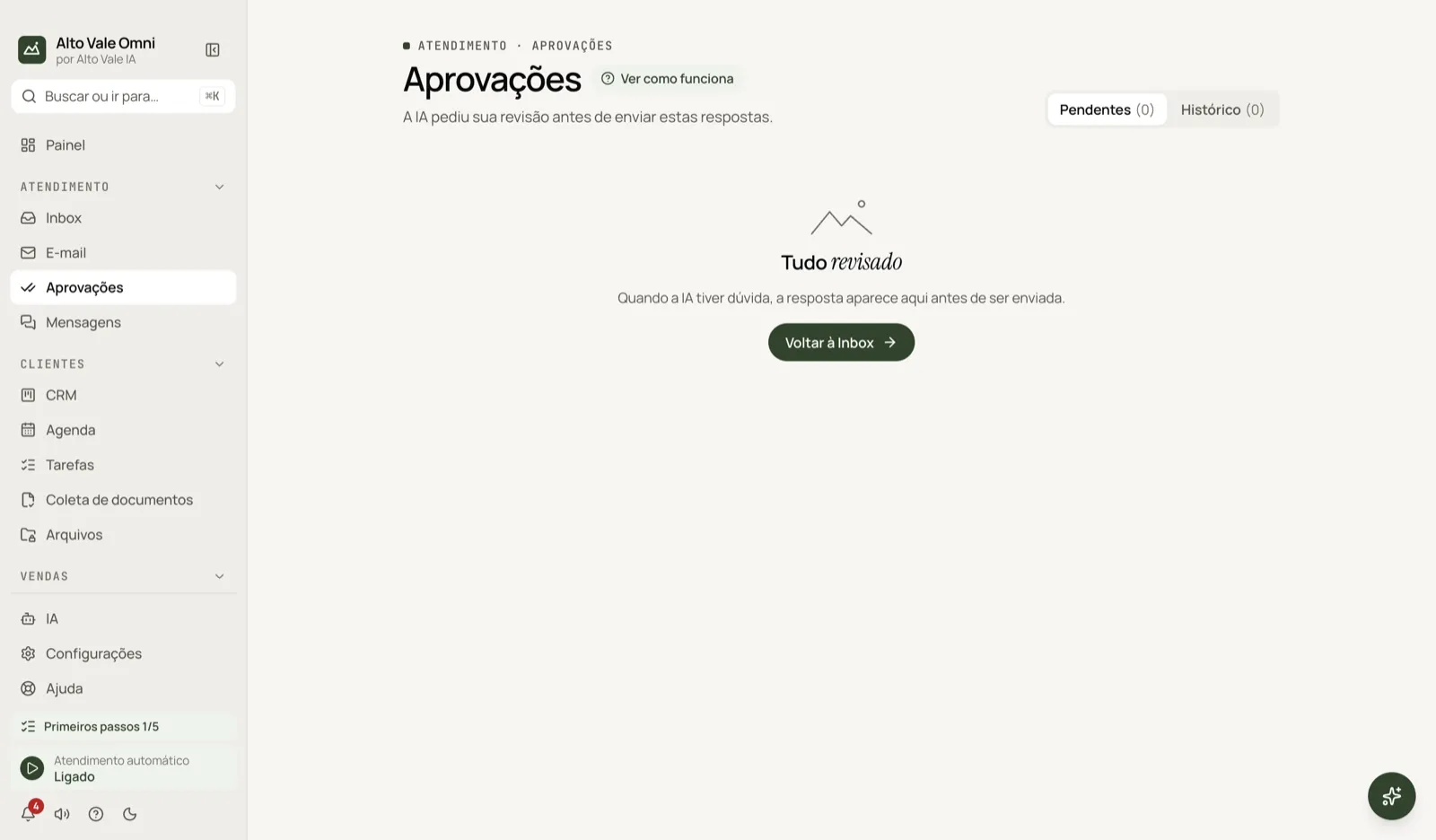
- Open Approvals and look at the Pending tab.
- Read the customer's message and the AI reply, with the reason.
- Choose Approve and send, Edit and Send edited, or Reject and take over.
All the actions on the screen
Pending
Replies waiting. Example: Carlos Menezes asked whether you accept Unimed and the AI quoted a deadline that is not in the data.
History
What has already been approved, edited or rejected.
Review reason
Labels such as No source in knowledge base, Invented personal data, Approval required, Instructions leak and Third-party data.
Approve and send
Sends as is. Example: "A cleaning costs R$ 150", checked against the Catalog.
Edit and Send edited
Adjust the text and send. Example: replace the deadline with "We are open Monday to Friday".
Reject and take over
Discards the reply and you take over the conversation (Marina Souza answers).
Back to Inbox
Shows when the list is empty.
Shortcuts
The screen has shortcuts to navigate, approve, edit and reject; Esc leaves the text being edited. The list appears on the screen itself.
Common problems
The menu item is not there. It appears when there is something to approve or when you use approval.
The reply came back several times for the same reason. Complete the Catalog in Settings › Business.
See also
Screen in the app: /approvals · In the app, press F1 on this screen to open this guide.
Still have a question?
Talk to the Alto Vale IA team on WhatsApp. Tell us the app, the screen and what happened.