Fix with Claude Code
Apply the plan fixes to your site code, one per commit.
What it is for
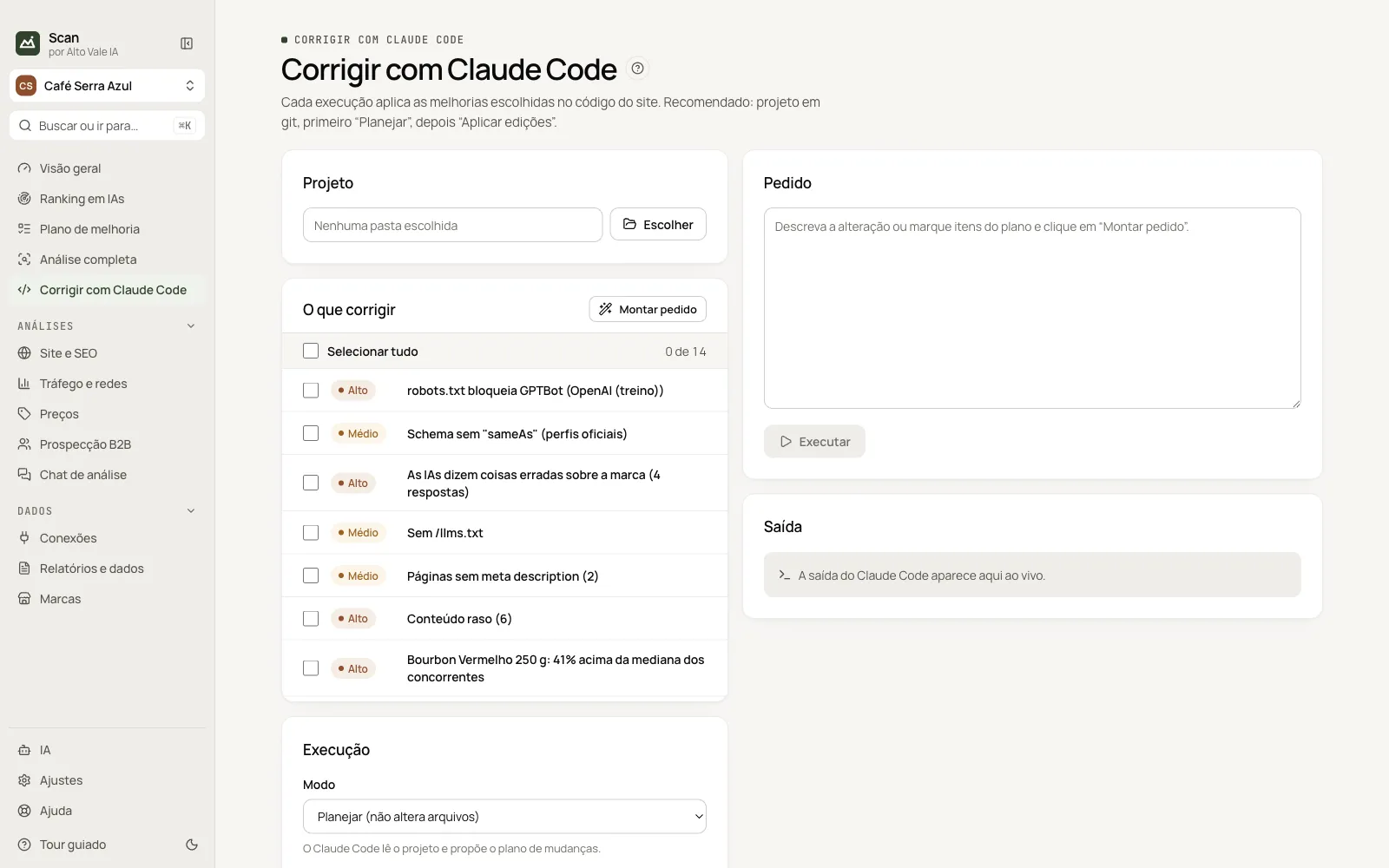
Local Claude Code reads the site folder and applies the chosen improvements, first as a plan and then editing files.
Before you start
- Claude Code installed and logged in (in AI).
- Site folder, preferably with git.
Step by step
- Click Choose and point to the site folder.
- Tick items under What to fix.
- Click Build request and review the text.
- Pick the mode (Plan first) and Run.
Every action on this screen
Project
Pick the folder or a recent project. Example: ~/Sites/cafeserraazul.
What to fix
Plan items with severity; Select all ticks every one.
Build request
Writes the prompt with ticked items (e.g. unblock GPTBot, create llms.txt, sameAs).
Mode and model
Plan (no changes), Apply edits; optional model (sonnet, opus).
Run, Continue session and Stop
Output appears live; Continue session answers in the same conversation; Stop cancels.
Shortcuts
- ⌘K / Ctrl+K: go to another screen or brand
- F1: opens this guide
Common problems
Claude Code not found
Install and log in under AI › Claude Code (command line).
See also
Screen in the app: /claude · In the app, press F1 on this screen to open this guide.
Still have a question?
Talk to the Alto Vale IA team on WhatsApp. Tell us the app, the screen and what happened.