AI
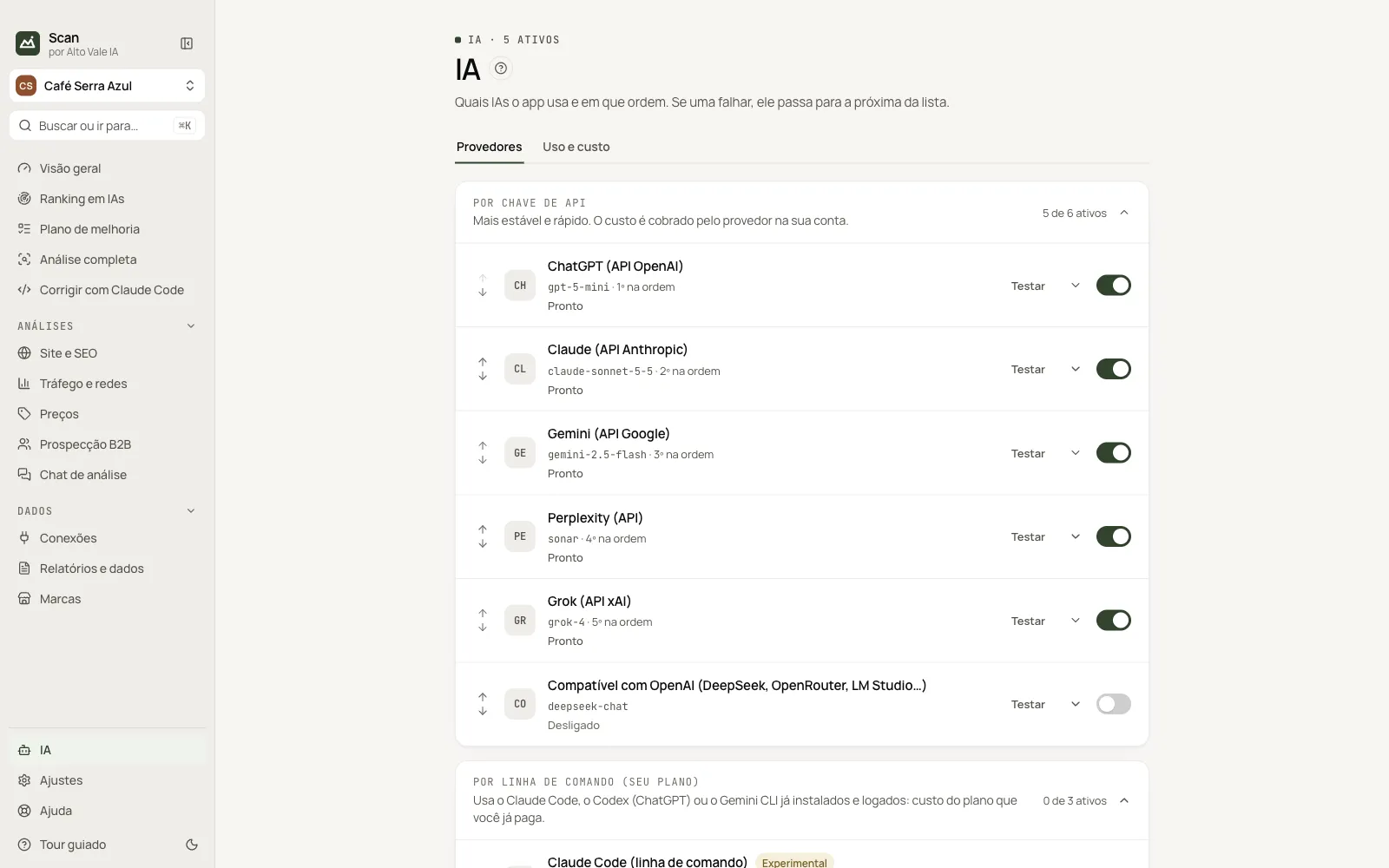
Which AIs the app uses and in what order.
What it is for
Turns on providers (API key, command line, local or sites) and sets failover: if one fails, the next is tried.
Before you start
- An API key, a CLI subscription or Ollama.
Step by step
- Open the group and click Paste key (or turn the provider on).
- Click Test.
- Reorder with the arrows.
Every action on this screen
Providers
Each row shows model, order, status and a switch; the chevron opens configuration.
Test
Asks a short question. "Working ✓" means ready.
Log in
Claude Code, Codex and Gemini CLI open the app terminal.
Chat sites
Opens the AI site in the app browser; needs the automation notice.
Usage and cost
Calls, tokens and estimated cost per provider and model.
Shortcuts
- ⌘K / Ctrl+K: go to another screen or brand
- F1: opens this guide
Common problems
No key
Click Paste key or Get key.
See also
Screen in the app: /ai · In the app, press F1 on this screen to open this guide.
Still have a question?
Talk to the Alto Vale IA team on WhatsApp. Tell us the app, the screen and what happened.