Improvement plan
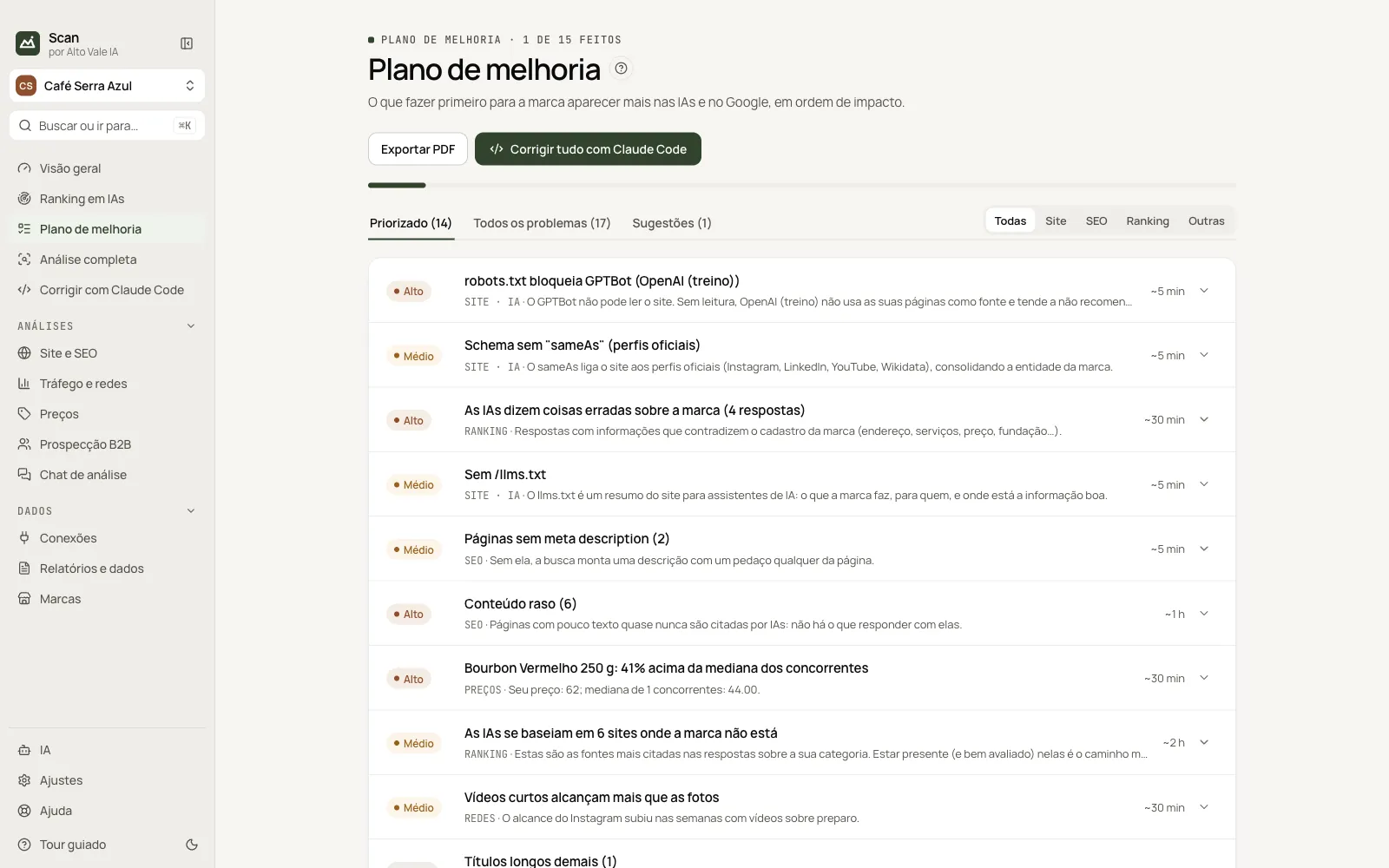
Problems and opportunities in order of impact, with the fix and a ready-made text generator.
What it is for
Gathers everything the analyses found and sorts by impact and effort, so you know what to do first.
Before you start
- Run AI ranking and/or the site audit: without analyses the plan is empty.
Step by step
- Open the first item in the Prioritized tab.
- Read Why and What to do.
- Click Fix with Claude Code or Copy prompt.
- Come back and click Mark as done.
Every action on this screen
Prioritized, All problems and Suggestions
Prioritized shows open items by priority; All lets you see done and ignored; Suggestions lists generated texts. The All/Site/SEO/Ranking/Other filter narrows the area.
Open item
E.g. "robots.txt blocks GPTBot" (High, ~5 min): why it matters, what to do and the snippet User-agent: GPTBot / Allow: /.
Fix with Claude Code
Opens the Claude Code screen with this problem ticked.
Copy prompt
Copies the ready request to paste into any coding AI.
Suggest a fix with AI
Generates a text (page, FAQ, schema, meta, llms.txt) and puts it in Suggestions.
Ignore / Reopen
Removes the item from the list without deleting; reopen under All problems › Ignored.
Export PDF and Fix everything
Creates the plan PDF in Reports; Fix everything sends up to 30 items to Claude Code.
Ask for an improvement
In Suggestions, pick the type and describe it (e.g. "page about pour-over coffee") and click Generate.
Shortcuts
- ⌘K / Ctrl+K: go to another screen or brand
- F1: opens this guide
Common problems
The list is empty
Run a measurement or audit; problems show up on their own.
See also
Screen in the app: /plan · In the app, press F1 on this screen to open this guide.
Still have a question?
Talk to the Alto Vale IA team on WhatsApp. Tell us the app, the screen and what happened.