What Alto Vale Pessoal is for
Household finances without a spreadsheet: log entries, import your statement, close the month and see where the money goes.
What it is for
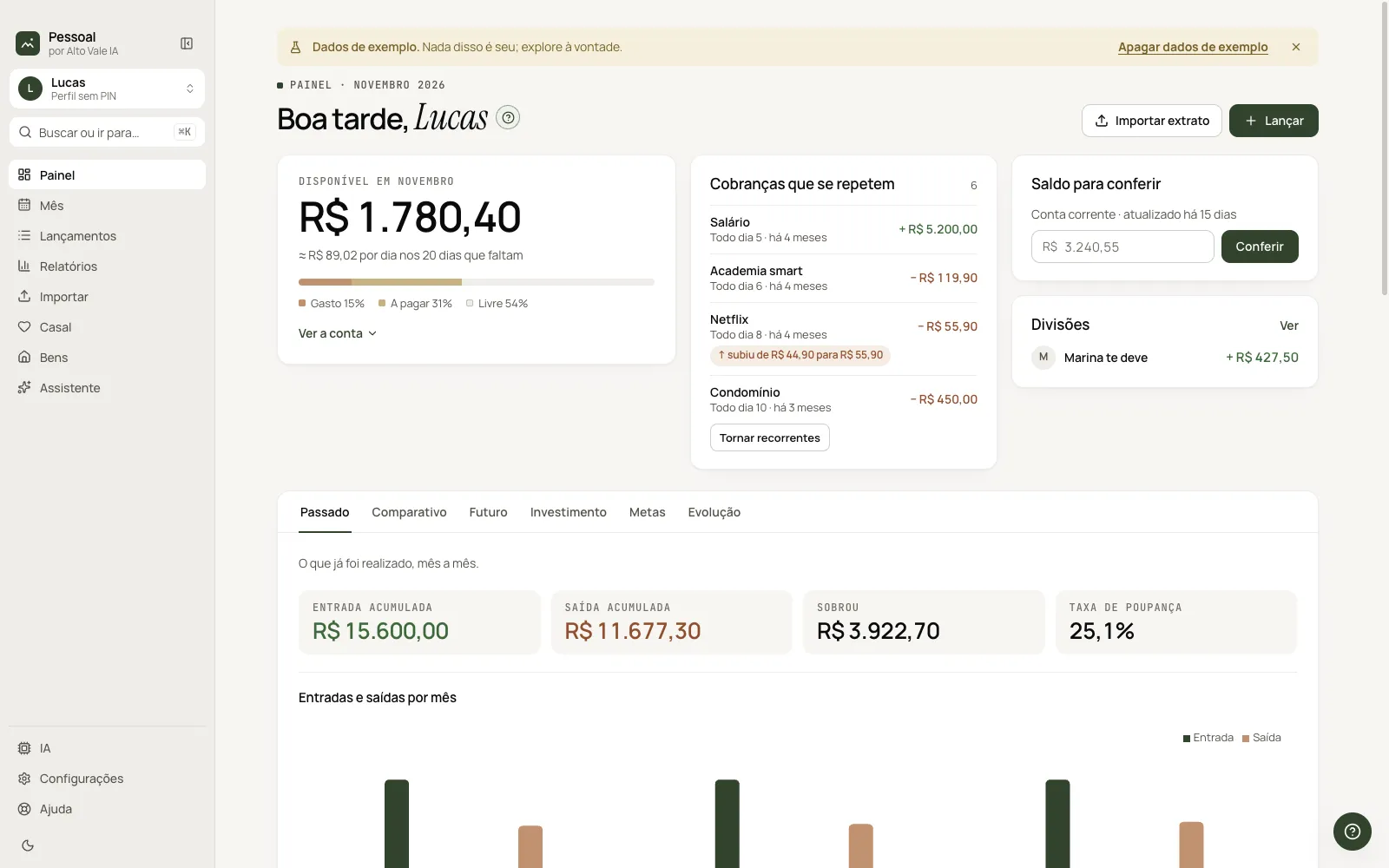
Alto Vale Pessoal organizes household finances on this computer. You log income and expenses (by hand, through the Assistant or by importing your bank statement), close each month and follow the Dashboard with past, projection, investments, goals and net worth. It is free and your data stays in a local file.
Before you start
- Install the app (macOS or Windows) and open it. No account is needed.
- An altovaleia.com account is optional and only lets the app update itself.
- An AI is optional: without it everything works and the Assistant understands simple sentences.
Step by step
- Pick language and AI on the Welcome screen (you can skip it).
- On the Dashboard, click Add entry and record the first expense: "Mercado Bom Preço", 312.40.
- Bring in your bank statement under Import and review it before saving.
- When the month is checked, click Close month.
Every action on this screen
Sidebar
Dashboard, Month, Entries, Reports, Import, Couple, Assets and Assistant; at the bottom, AI, Settings and Help. Example: click Couple to see what Marina owes Lucas.
Profiles
Each person in the household can have their own profile, with a PIN. Click the avatar at the top of the bar to switch. See the Profiles and PIN guide.
Sample data
On first launch you can explore with fictional data; the yellow banner at the top has the Delete sample data button.
Shortcuts
- ⌘K / Ctrl+K: quick search for screens, months and actions.
- ⌘\ / Ctrl+\: collapse the sidebar.
- F1: help for the current screen.
Common problems
I can't find a screen's button. Press ⌘K and type the screen name, or open Help and search.
I want to start from scratch. In Settings › Data and backup, delete the sample data or restore a backup.
See also
Screen in the app: /financas · In the app, press F1 on this screen to open this guide.
Still have a question?
Talk to the Alto Vale IA team on WhatsApp. Tell us the app, the screen and what happened.