Dashboard
The month at a glance: how much you can still spend, recurring charges, balances to check, and tabs from past to net worth.
What it is for
The Dashboard puts what needs attention now in one place and, in the tabs below, the time view: what has been, what is coming, investments, goals and net worth.
Before you start
- Log at least one month (by hand, through the Assistant or by importing the statement).
- Close finished months so averages, projection and goals work.
Step by step
- Look at the Available card: expected income minus what is spent, bills to pay and the savings goal.
- Check Recurring charges and turn the suggested ones into recurring entries.
- Update Balances to check with the value in your bank app.
- Switch tabs to see past, projection, investments, goals and net worth.
Every action on this screen
Available and "See the math"
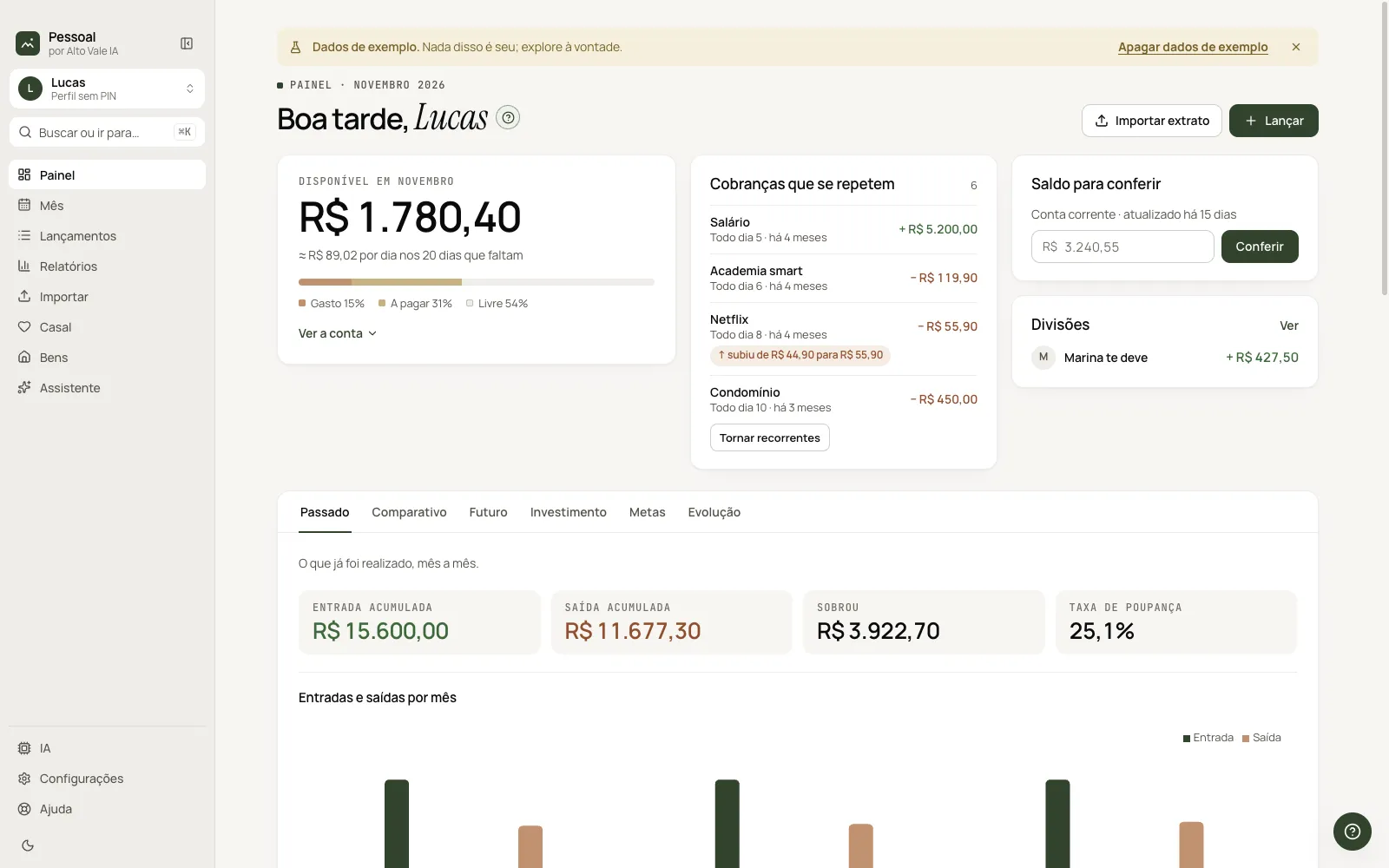
Shows how much you can still spend this month and per day for the days left. See the math opens the calculation: income, spent so far, bills due and goal reserve. Example: R$ 1,898.40, or R$ 94.92 per day.
Recurring charges
Lists what showed up in consecutive months (Salary, Condo fee, Netflix). Make recurring creates the fixed entries at once; right-click a line for "Make recurring" and "Not recurring". A notice shows when the value rises (Netflix from 44.90 to 55.90).
Balance to check
Type today's bank balance and click Check. Example: 3,240.55 on "Checking account".
Splits
If there are split expenses, shows who owes whom (Marina owes you + R$ 427.50). View opens Couple.
Import statement and Add entry
Top shortcuts: the first opens Import, the second opens the current month.
Greeting and "?"
"Good morning, Lucas" changes with the hour and profile. The ? next to the title starts the screen tour.
Shortcuts
- ⌘K: go to another screen.
- F1: Dashboard help.
- ⌘\: collapse the sidebar.
Common problems
The Available card is empty. The current month has no entries yet: click Add entry.
I don't see recurring charges. They need to appear in at least two consecutive months with a similar value.
See also
Screen in the app: /financas · In the app, press F1 on this screen to open this guide.
Still have a question?
Talk to the Alto Vale IA team on WhatsApp. Tell us the app, the screen and what happened.