Entries
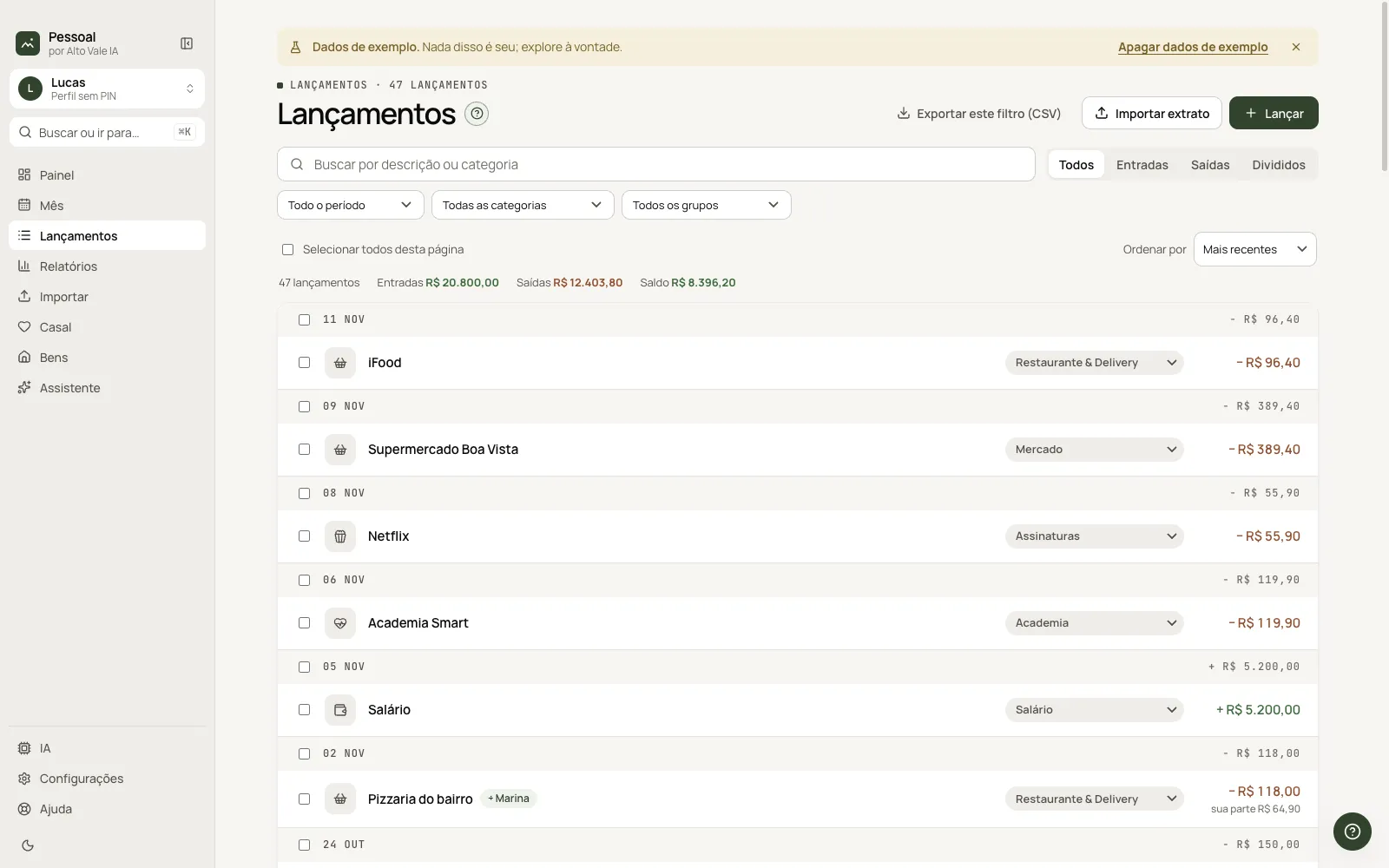
Every entry from every month: search, filter, fix categories in bulk and export.
What it is for
One list, newest first and grouped by day, to find and fix any entry.
Before you start
- Have entries (by hand, imported or through the Assistant).
Step by step
- Type part of the description in search.
- Use All / Income / Expenses / Split and the period, category and group filters.
- Fix the category right on the line's pill.
- Tick several and use the action bar.
Every action on this screen
Search
"ifood" shows only iFood orders; it also matches the category.
Filters
Period (month, 3, 6, 12 months, year), category, group and "uncategorized".
Category on the line
Click the pill (Restaurant & Delivery) and pick another.
Bulk actions
Tick lines: change category, mark paid or delete.
Right-click
Open the month, select, mark paid, copy description or amount, delete.
Export CSV
Downloads exactly what is filtered.
Import statement and Add entry
Top shortcuts to Import and to the current month.
Shortcuts
- ⌘K with text searches the entries.
Common problems
I can't find an expense. Clear the filters or search for part of the name.
Split doesn't show. Choose Split in the selector.
See also
Screen in the app: /lancamentos · In the app, press F1 on this screen to open this guide.
Still have a question?
Talk to the Alto Vale IA team on WhatsApp. Tell us the app, the screen and what happened.