AI
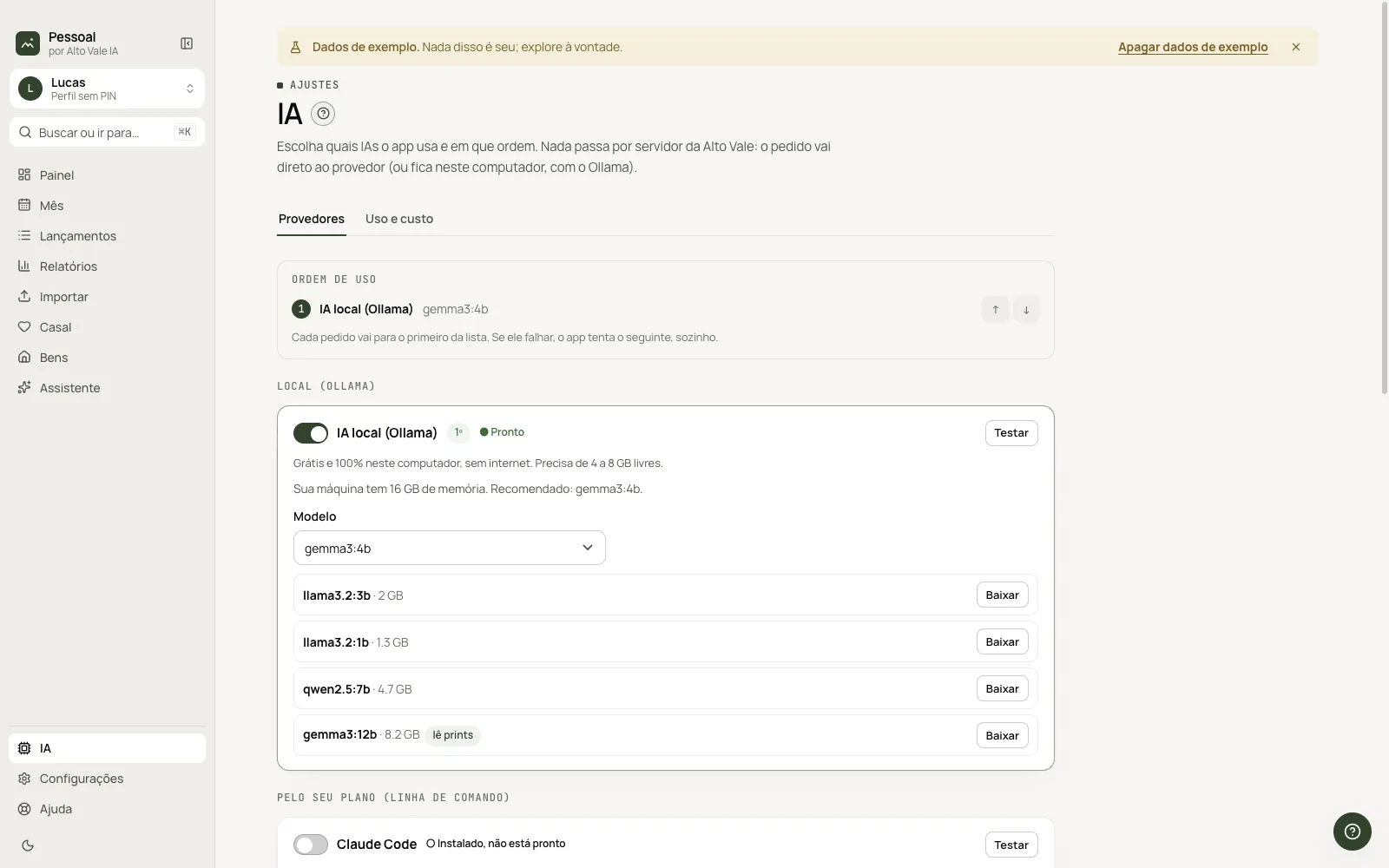
Choose which AIs the app uses and in what order, and follow usage and cost.
What it is for
AI is optional. The AI page sets the providers and order; if one fails, the app switches to the next.
Before you start
- Local: install Ollama. Plan: have Claude Code or Codex. API: a key.
Step by step
- Open AI in the footer.
- Turn on a provider (Claude Code: Enable).
- Click Test.
- Adjust the usage order.
Every action on this screen
Providers
Local (Ollama), plan (Claude Code, Codex) and API key (Anthropic, OpenAI, Google).
Usage order
Arrows change priority; switching is automatic.
CLI login
Opens the app's terminal; never the system Terminal.
API keys
Stay encrypted on this computer, never in the database.
Usage and cost
Tab with calls, tokens and cost per day.
Shortcuts
- ⌘K → "AI".
Common problems
Test fails. Read the message; check login or key.
See also
Screen in the app: /ia · In the app, press F1 on this screen to open this guide.
Still have a question?
Talk to the Alto Vale IA team on WhatsApp. Tell us the app, the screen and what happened.