Settings
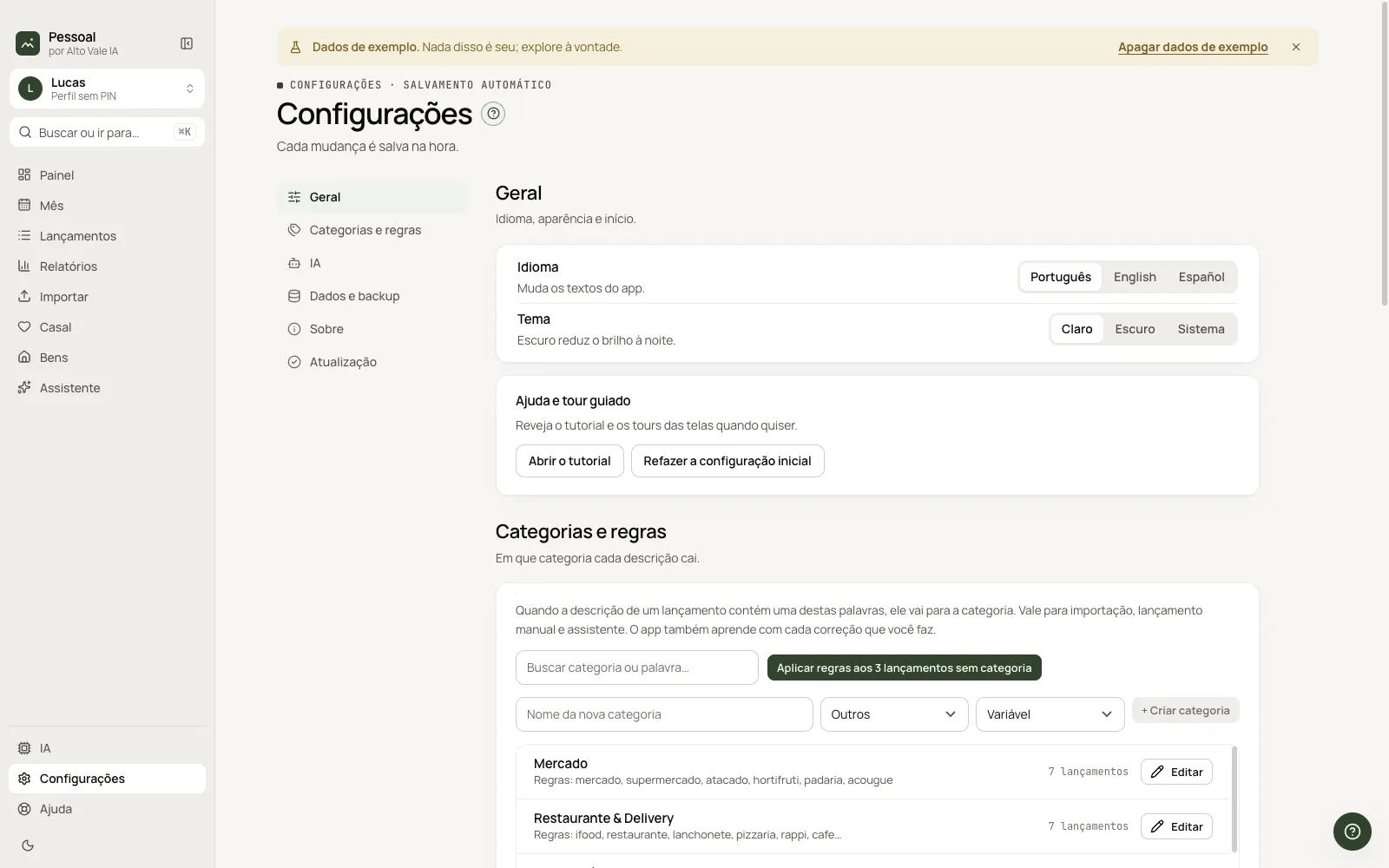
Language, theme, categories, AI, data and backup, about and update.
What it is for
Everything saves right away. Sections are in the left column.
Before you start
- —
Step by step
- Open Settings (⌘,).
- Pick the section.
- Change and see the "Saved" notice.
Every action on this screen
General
Language (Português, English, Español) and Theme (Light, Dark, System); redo initial setup.
Categories and rules
See its own guide.
AI
Summary; Open AI goes to the page.
Data and backup
Export, import and delete sample data. Example: export a backup before updating.
About
Version and Alto Vale IA links.
Update
See the Update guide.
Shortcuts
- ⌘, opens Settings.
Common problems
I changed the language and the screen reloaded. Expected.
See also
Screen in the app: /configuracoes · In the app, press F1 on this screen to open this guide.
Still have a question?
Talk to the Alto Vale IA team on WhatsApp. Tell us the app, the screen and what happened.