Dashboard
The business summary: what needs you right now and how service is going in the period, with comparison.
What it is for
Shows what needs your attention right now and the service numbers, split into sections: Right now, Service, Sales, Automation, AI, Instagram and Calendar. Each number is compared with the previous period of the same length.
Before you start
- Have some conversations to generate numbers. Sections for areas turned off in Settings › Features do not appear.
- Personal and internal contacts are left out of the metrics.
Step by step
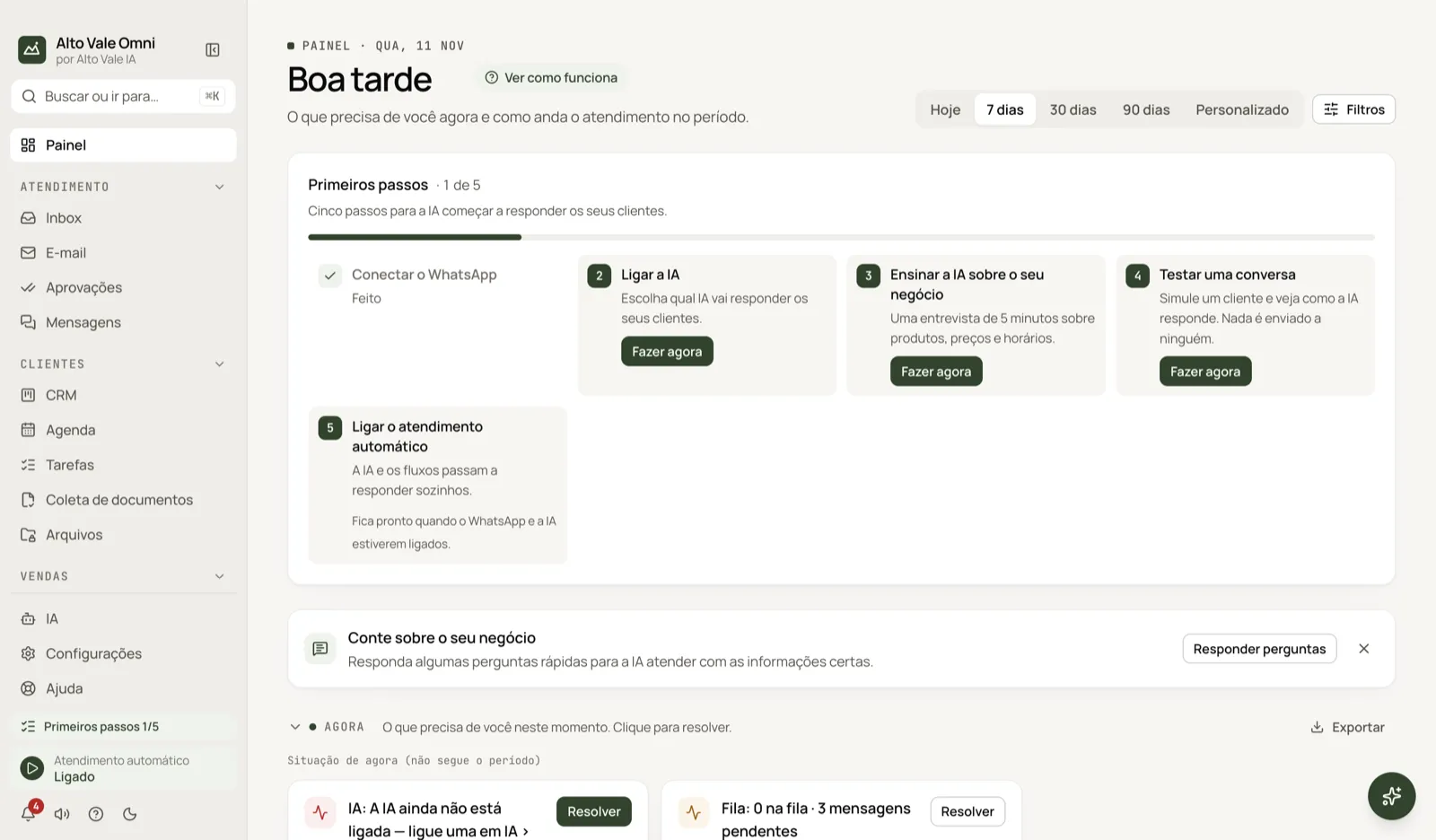
- Pick the period at the top: Today, 7 days, 30 days, 90 days or Custom.
- Read the Right now section: what needs you at this moment.
- Click Resolve on an alert, such as "Queue: 3 pending messages".
- Scroll through the sections for the period's numbers.
All the actions on the screen
Period
The buttons at the top. Example: 30 days to see the month at Clínica Bem Viver.
Filters
Narrow by channel and agent. Example: only WhatsApp handled by Marina Souza. The button shows how many filters are on.
Getting started
A card with 5 steps (WhatsApp, AI, teach the business, test, turn on service). Do it now opens each one; Close hides the card.
Tell us about your business
An invitation to Answer questions that teach the AI. The X dismisses it.
Right now and Resolve
Alerts such as "AI: the AI is not on yet" or "Queue: 3 pending messages". Resolve takes you to the right screen.
▲▼ comparison arrows
Show the change against the previous period. Example: new conversations rose from 12 to 18.
Click a number
Opens the list behind it, for example the unanswered conversations.
Export
Downloads a section's numbers as CSV.
Period summary
Saves a file with all sections and the change against the previous period.
Automatic service
At the bottom of the menu: On or Paused. When you resume, the AI answers the messages that were waiting.
See how it works
A 3 to 6 step tour of this screen.
Shortcuts
- ⌘K searches screens; ⌘J opens the Assistant.
Common problems
A section is missing. The area is turned off in Settings › Features.
Numbers are zero. Switch the period to 30 days or check the filters.
See also
Screen in the app: /dashboard · In the app, press F1 on this screen to open this guide.
Still have a question?
Talk to the Alto Vale IA team on WhatsApp. Tell us the app, the screen and what happened.