Assistant
Chat with the AI about the brand: it knows the Brand Kit, the calendar and the metrics and suggests shortcuts to the right screen.
What it is for
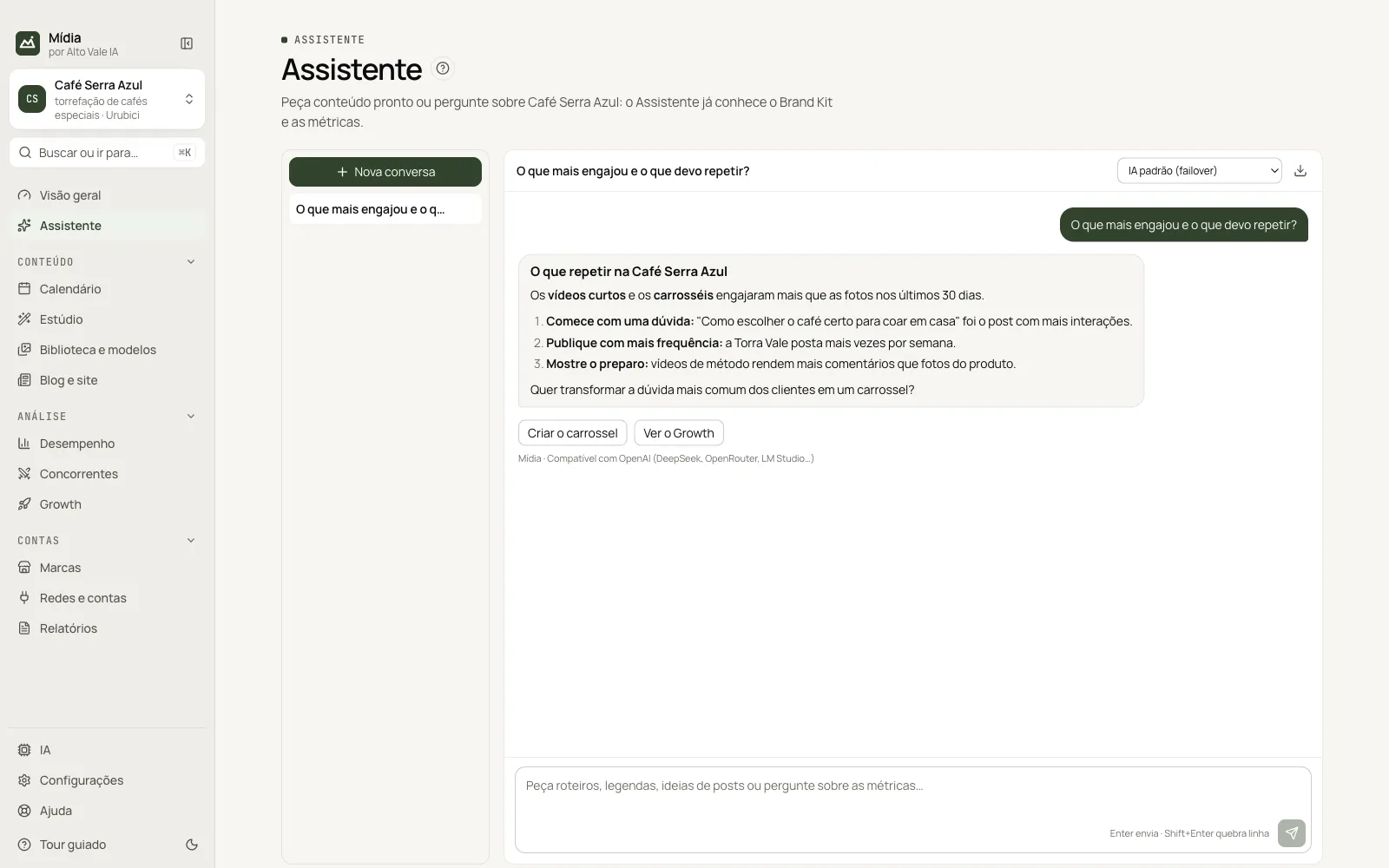
Ask for ideas, captions, scripts and analyses in a conversation. The Assistant uses the Brand Kit and the numbers the app already has for the brand, and replies with shortcuts to create the content or open the right screen.
Before you start
Connect an AI in IA (AI) (see Set up the AIs). Without an AI, the conversation shows a notice to set one up.
Step by step
- Open Assistente (Assistant) (⌘J / Ctrl+J).
- Write your request or tap a suggestion.
- Read the reply and use the buttons that appear below it.
All the actions on the screen
Campo de mensagem (Message field)
Enter sends; Shift+Enter breaks the line. Example: "Ideias de posts para a Black Friday".
Sugestões (Suggestions)
Ready-made phrases on the empty screen. Example: "Qual o melhor horário para postar esta semana?".
Nova conversa (New conversation)
Starts a clean conversation. Previous ones stay in the list on the left.
Conversation list
Click a conversation to reopen it; the "⋯" menu (or right-click) deletes it.
Choose the AI
The selector above the conversation sets which AI answers. Example: choose "Claude" for captions and "IA padrão (failover)" (Default AI, failover) for the rest.
Reply buttons
Shortcuts such as Criar o carrossel (Create the carousel, opens the Studio with the topic filled in) and Ver o Growth (See Growth). They only open the screen: you are the one who decides.
Exportar (Export)
The download icon saves the conversation as Markdown.
Shortcuts
⌘J / Ctrl+J opens the Assistant from any screen.
Common problems
"Sem IA configurada" (No AI configured). Turn on an AI in IA and click Testar (Test).
The reply talks about another brand. Check the brand on the card at the top of the menu: each brand has its own conversations.
See also
Screen in the app: /chat · In the app, press F1 on this screen to open this guide.
Still have a question?
Talk to the Alto Vale IA team on WhatsApp. Tell us the app, the screen and what happened.