Traffic and social
Visits, searches and social networks in one place, by connection or CSV.
What it is for
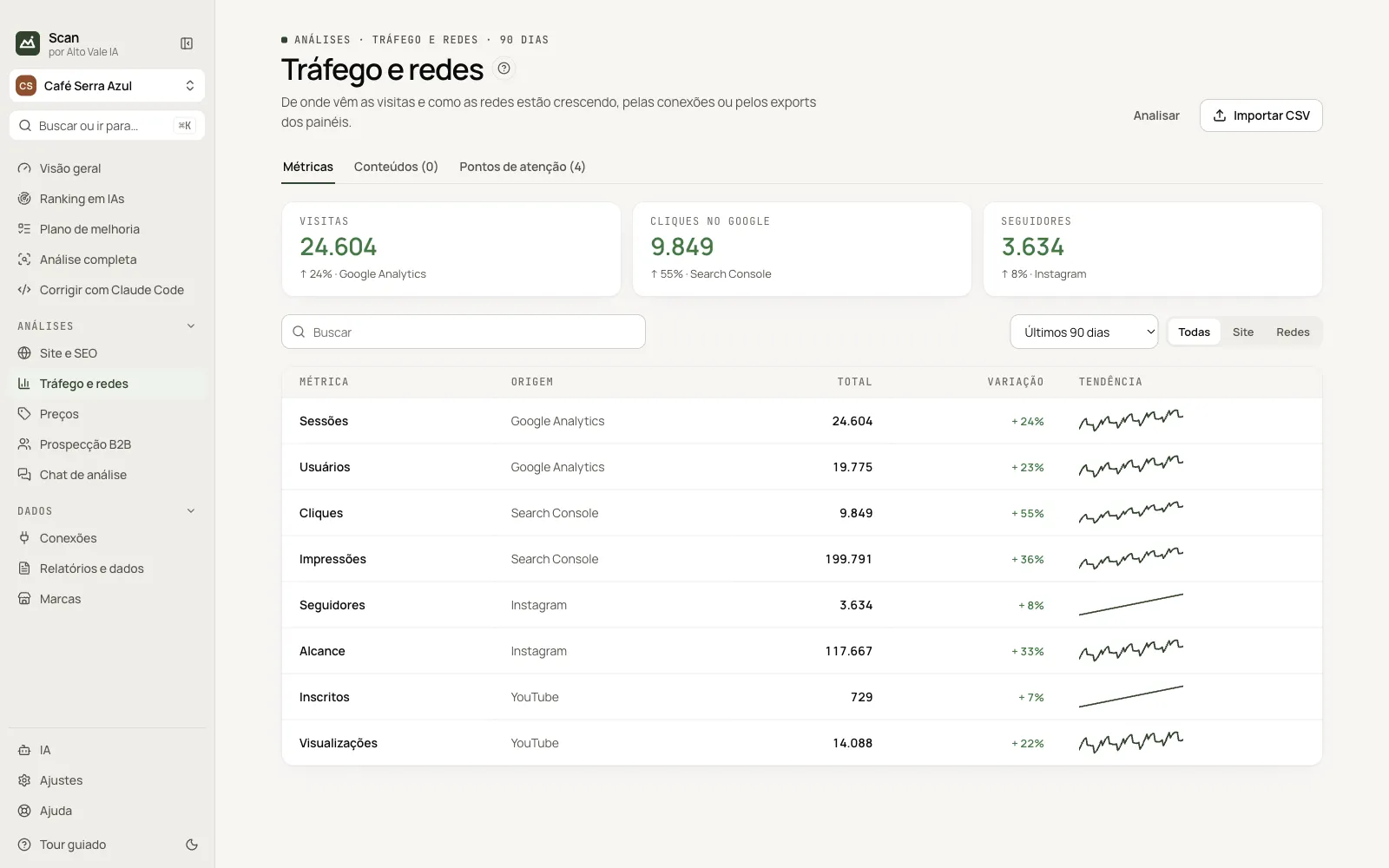
Shows numbers from Search Console, Analytics, Instagram, YouTube and others, with change and trend.
Before you start
- Connect panels in Connections or have a CSV exported from the panel.
Step by step
- Click Import CSV (or connect a panel).
- Click Analyze to generate attention points.
- Filter by Site or Social and pick the period.
Every action on this screen
Metrics
Table with total, change and trend. Example: Sessions 24,604, +24%.
Content
Posts and pages with each one’s metrics.
Attention points
Alerts from the analysis, with a recommendation.
Import CSV
Choose the source panel and the exported file; Scan recognizes the columns.
Shortcuts
- ⌘K / Ctrl+K: go to another screen or brand
- F1: opens this guide
Common problems
I imported and nothing showed
Check you chose the right panel; "No numbers found" means a different file.
See also
Screen in the app: /metrics · In the app, press F1 on this screen to open this guide.
Still have a question?
Talk to the Alto Vale IA team on WhatsApp. Tell us the app, the screen and what happened.