Connections
Log in to panels through the app browser for a complete analysis.
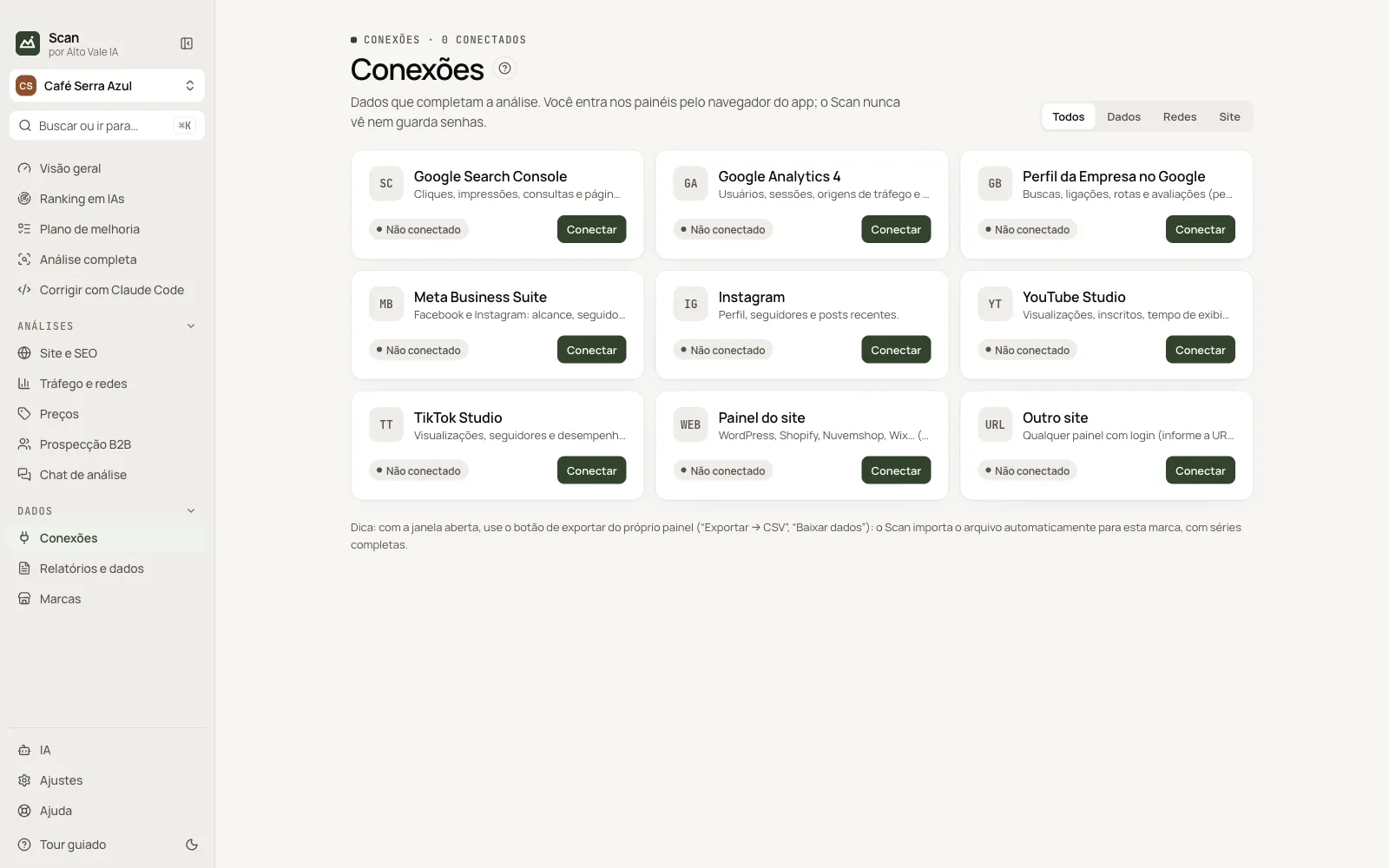
What it is for
Connects Search Console, Analytics, Business Profile, Meta, Instagram, YouTube, TikTok and the site panel.
Before you start
- An account on each panel.
Step by step
- Click Connect on the panel.
- Log in in the app window.
- Use Manage › Collect.
Every action on this screen
Connect
Opens the app browser; the window closes when login is confirmed. Scan never stores passwords.
Manage
Open window, Check login, Collect and Disconnect.
Export CSV
With the window open, use "Export/Download CSV"; Scan imports it on its own.
Shortcuts
- ⌘K / Ctrl+K: go to another screen or brand
- F1: opens this guide
Common problems
Login expired
Click Log in again.
See also
Screen in the app: /connections · In the app, press F1 on this screen to open this guide.
Still have a question?
Talk to the Alto Vale IA team on WhatsApp. Tell us the app, the screen and what happened.