Overview
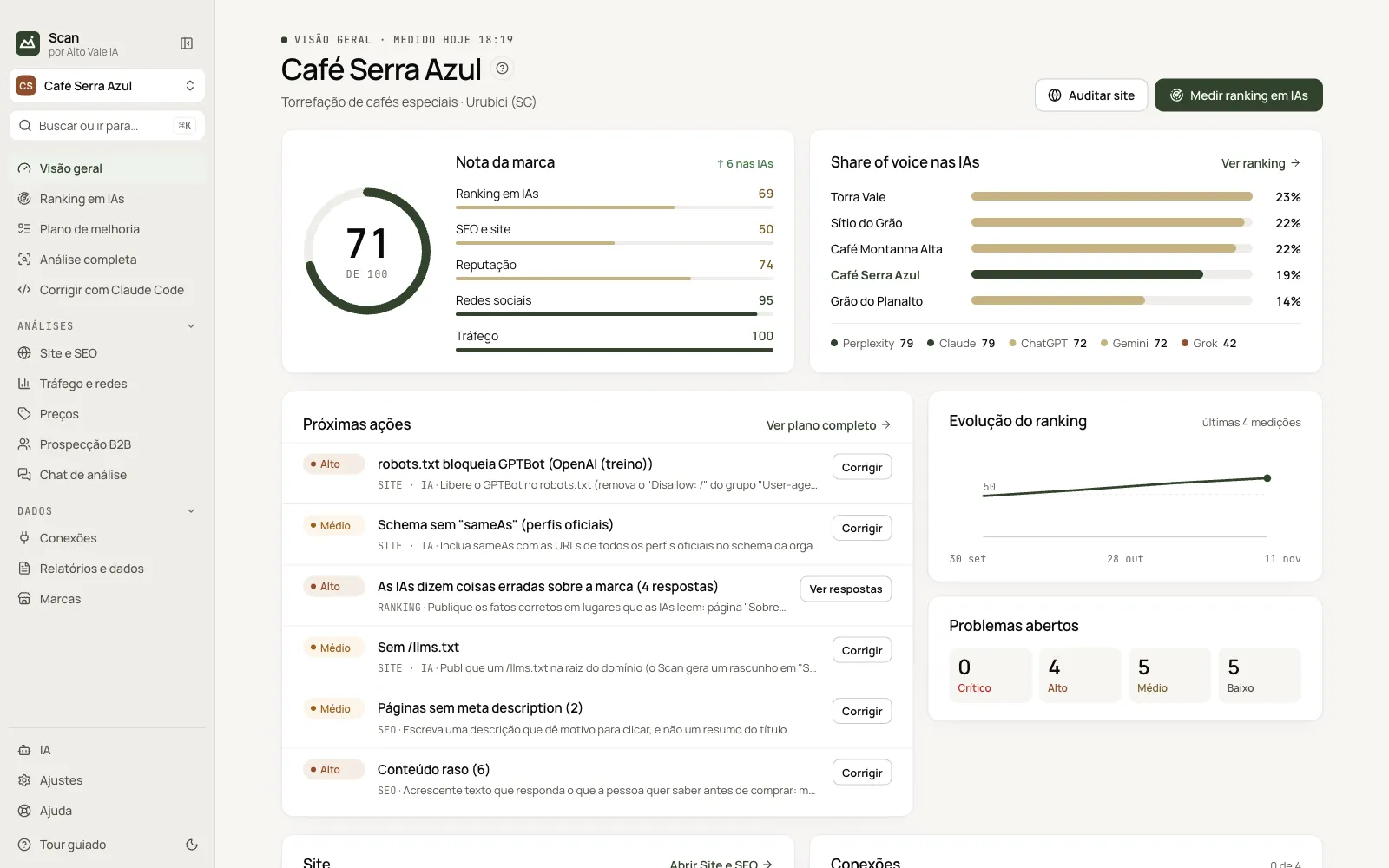
The brand score, share of voice in AIs, next actions and evolution on one screen.
What it is for
The Overview sums up where the brand stands today: a 0–100 score, what the AIs say about it and what to do first. It is the screen that opens when you enter.
Before you start
- Register the brand in Brands (name and site are enough).
- Run the first measurement in AI ranking: without it the score does not appear.
Step by step
- Read the Brand score and the change arrow (e.g. ↑ 4 in the AIs).
- Check Share of voice: who the AIs cite more than Café Serra Azul.
- Open the first Next action and click Fix.
- See Ranking evolution after the second measurement.
Every action on this screen
Measure AI ranking
Goes to AI ranking and opens the measurement panel. Example: 5 AIs × 8 questions, about 5 minutes.
Audit site
Opens Site and SEO to audit https://cafeserraazul.com.br.
Score and pillars
Five pillars: AI ranking 69, SEO and site 50, Reputation 74, Social 95, Traffic 100. Green (75+) is good, sand (50–74) needs attention, terracotta (below 50) needs action.
Next actions
Top problems with severity and a Fix or See answers button. Right-click to copy the title or the recommendation.
Open problems
Four counters (Critical, High, Medium, Low); clicking leads to the Improvement plan.
Site and Connections
Summary of the last audit (e.g. GPTBot blocked, llms.txt missing) and the main connections with a Connect button.
First steps
A checklist that disappears when everything is done; the × hides it.
Shortcuts
- ⌘K / Ctrl+K: go to another screen or brand
- F1: opens this guide
Common problems
The score does not appear
The first measurement is missing. Open AI ranking and click Measure now.
See also
Screen in the app: / · In the app, press F1 on this screen to open this guide.
Still have a question?
Talk to the Alto Vale IA team on WhatsApp. Tell us the app, the screen and what happened.