Library and templates
Brand files, carousel and post templates and the image and video sources (image bank and AI), all on your computer.
What it is for
Store and reuse the brand's images, videos and audio, choose templates with the brand's colors, fonts and logo, and generate images with AI or search photo banks.
Before you start
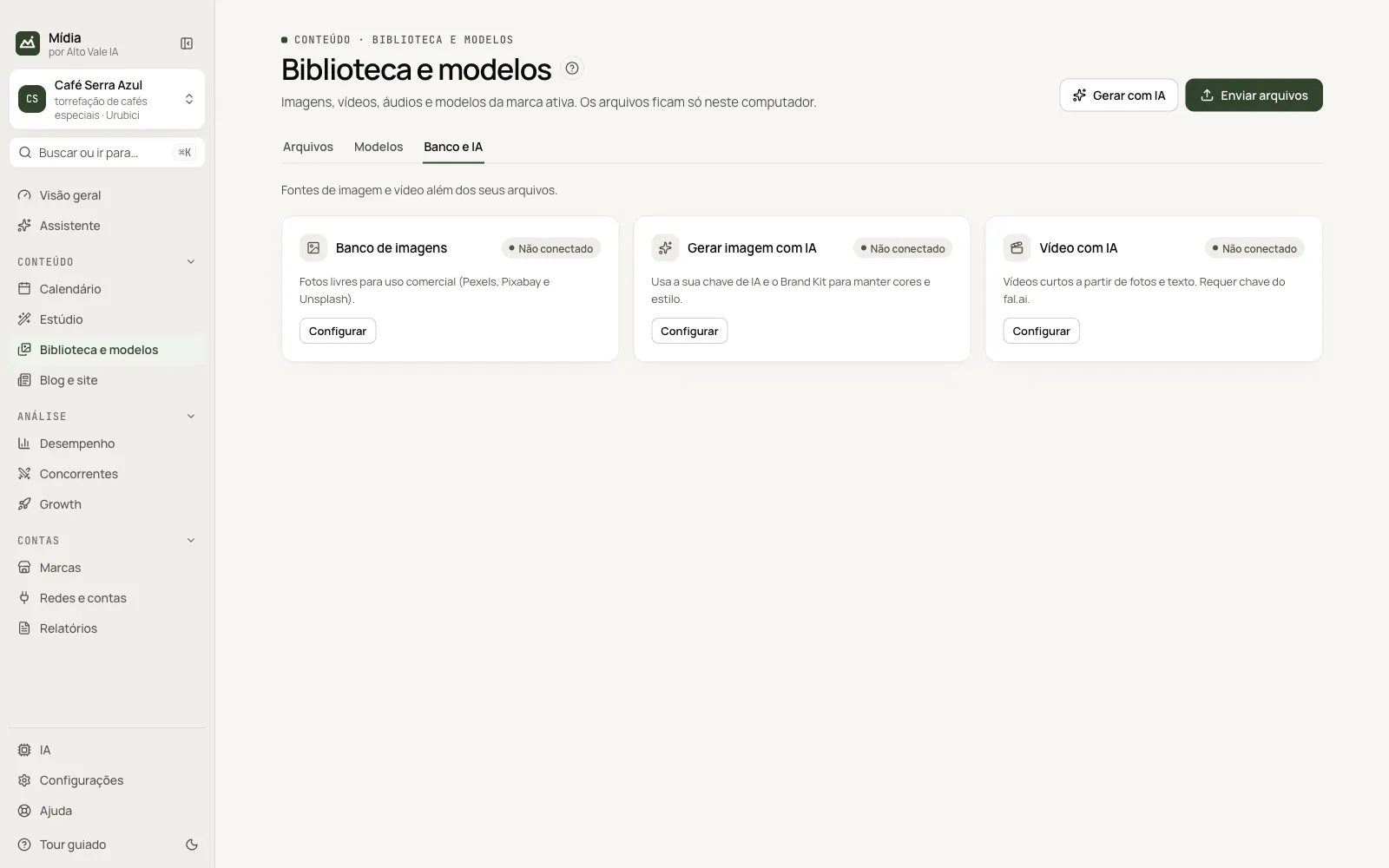
For the image bank, AI generation and AI video, register the keys in Configurações → Estúdio (Settings → Studio). Without the key, the card shows "Não conectado" (Not connected).
Step by step
- Open Biblioteca e modelos (Library & templates).
- In Arquivos (Files), click Enviar arquivos (Upload files) or go to Banco e IA (Bank and AI) to search or generate.
- In Modelos (Templates), choose the look and click Criar com este modelo (Create with this template).
All the actions on the screen
Arquivos tab (Files)
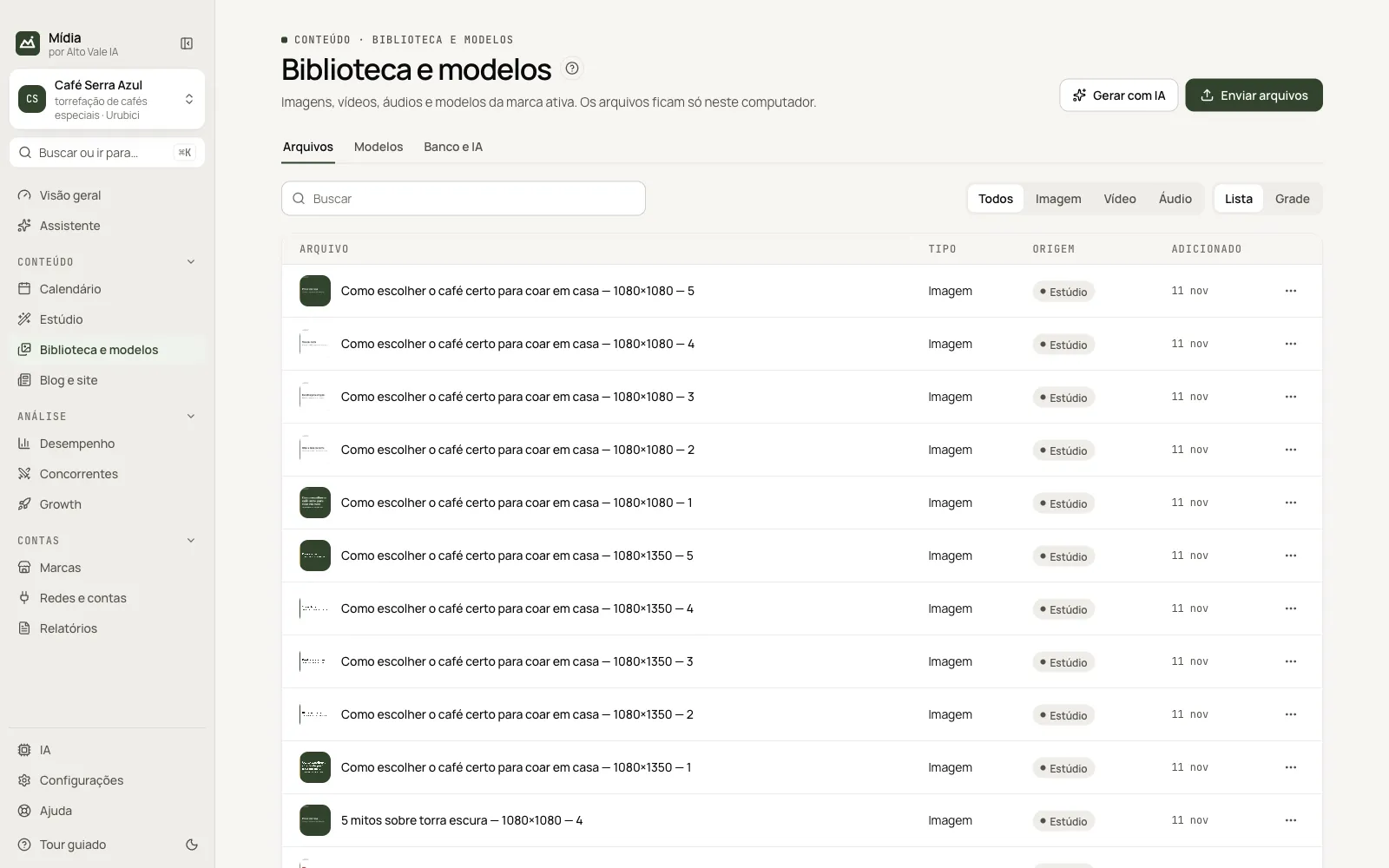
List with search and filter (Todos, Imagem, Vídeo, Áudio: All, Image, Video, Audio) and the List/Grid option. Example: search "colheita" and filter Image.
Enviar arquivos (Upload files)
Imports images, videos and audio from the computer. Example: upload "Colheita em Urubici · 01".
Gerar com IA (Generate with AI)
Opens the AI image window. Example: "Pacote de café Catuaí 250 g sobre fundo creme".
File "⋯" menu
Editar com IA (Edit with AI, images), Recortar (Crop, 4:5, from the center), Cortar em clipes (Cut into clips, videos), Abrir a pasta (Open the folder), Copiar nome (Copy name), Copiar caminho (Copy path) and Excluir (Delete).
Modelos tab (Templates)
Ready-made templates, with preview and the Sugerido (Suggested) badge when the format is the one that engages the most. Criar com este modelo opens the Studio with it. Search filters by name.
Banco e IA tab (Bank and AI)
Three cards: Banco de imagens (Image bank: Pexels, Pixabay and Unsplash; Buscar, Search), Gerar imagem com IA (Generate image with AI; Gerar, Generate) and Vídeo com IA (AI video: 5 s in 9:16, with a fal.ai key).
Shortcuts
Right-clicking a file opens the "⋯" menu.
Common problems
"Não conectado" (Not connected) on the image bank. The key is missing. See Configurações → Estúdio.
The crop cut off the subject. The crop is from the center; crop by hand before uploading.
See also
Screen in the app: /library · In the app, press F1 on this screen to open this guide.
Still have a question?
Talk to the Alto Vale IA team on WhatsApp. Tell us the app, the screen and what happened.